
KillSud - killer sudoku6.5 - Get APK
You'll be able to download in few seconds.
Publisher Description
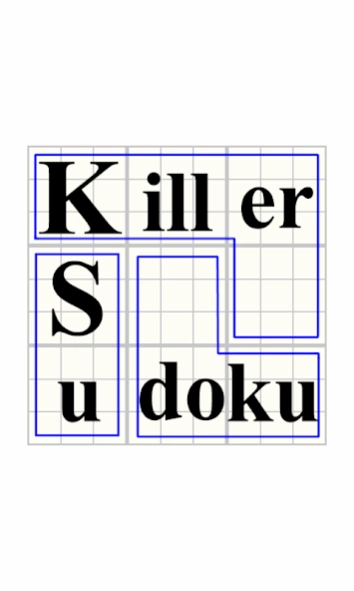
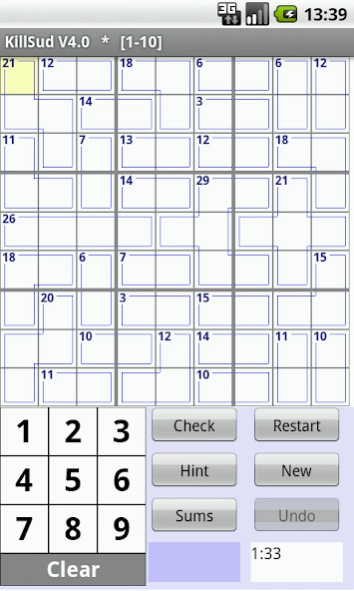
KillSud - Killer Sudoku is a variation of Sudoku, as described at Wikipedia
KillSud - Killer Sudoku is a variation of Sudoku, as described at Wikipedia:
http://en.wikipedia.org/wiki/Killer_sudoku
In addition to the rules of regular Sudoku, there are two more rules in KillSud:
1) The sum of all numbers in a cage must match the small number printed in its corner.
2) No number appears more than once in a cage.
Play the exciting game of KillSud and test your skills.
* KillSud contains over 4,000 puzzles ranging from fairly easy to really complicated in 6 levels of difficulty.
* A special sum calculator to help in choosing the numbers.
* Detailed help is available under "menu".
* AutoSave / AutoRestore of ongoing puzzle.
* Undo moves (no redo) - See Help for details.
If you encounter any bug in KillSud please e-mail the developer with details. Don't report it in reviews
NOTE1: Click the white area of the running timer to toggle showing elapsed time on/off.
NOTE2: The little purple box below the [new] button is an addition helper. Click on it and the sum of the "marked cage" is added.
To prevent adding the same cage twice, each cage can be added to the addition helper ONLY ONCE (until the helper is cleared)
Long-click the helper to clear it.
About KillSud - killer sudoku
The company that develops KillSud - killer sudoku is BotenSoft. The latest version released by its developer is 6.5.
To install KillSud - killer sudoku on your Android device, just click the green Continue To App button above to start the installation process. The app is listed on our website since 2017-03-03 and was downloaded 0 times. We have already checked if the download link is safe, however for your own protection we recommend that you scan the downloaded app with your antivirus. Your antivirus may detect the KillSud - killer sudoku as malware as malware if the download link to killsud.boten is broken.
How to install KillSud - killer sudoku on your Android device:
- Click on the Continue To App button on our website. This will redirect you to Google Play.
- Once the KillSud - killer sudoku is shown in the Google Play listing of your Android device, you can start its download and installation. Tap on the Install button located below the search bar and to the right of the app icon.
- A pop-up window with the permissions required by KillSud - killer sudoku will be shown. Click on Accept to continue the process.
- KillSud - killer sudoku will be downloaded onto your device, displaying a progress. Once the download completes, the installation will start and you'll get a notification after the installation is finished.
Program Details
System requirements
Download information
Pricing
Version History
version 6.5
posted on 2017-03-03
version 6.5:
[Clear] is now Long-Click
OR Dbl-Click to avoid
accidental clears.
FORCE a digit by Long-Click
the numpad can now also be
Dbl-Click.
Bug fixes.
version 6.4
posted on 2016-01-11
version 6.4:,Menu button on bottom-left. This will bring a "menu" screen. Exit this screen ONLY with "Return" button.,version 6.3:,If menu button is not available (neither by long-click task switcher, nor by 3 dots) then,click the 3 white bars at the bottom-left of the main screen (where you choose the level of play),This should solve the "missing" menu button for newer android versions.
version 2.1
posted on 2013-01-19
Several fixes and updates
Disclaimer
External Download
We do not host KillSud - killer sudoku on our servers. We did not scan it for viruses, adware, spyware or other type of malware. This app is hosted by Galad and passed their terms and conditions to be listed there. We recommend caution when installing it.
The APK Download link for KillSud - killer sudoku is provided to you by apps112.com without any warranties, representations or guarantees of any kind, so access it at your own risk.
If you have questions regarding this particular app contact the publisher directly. For questions about the functionalities of apps112.com contact us.
